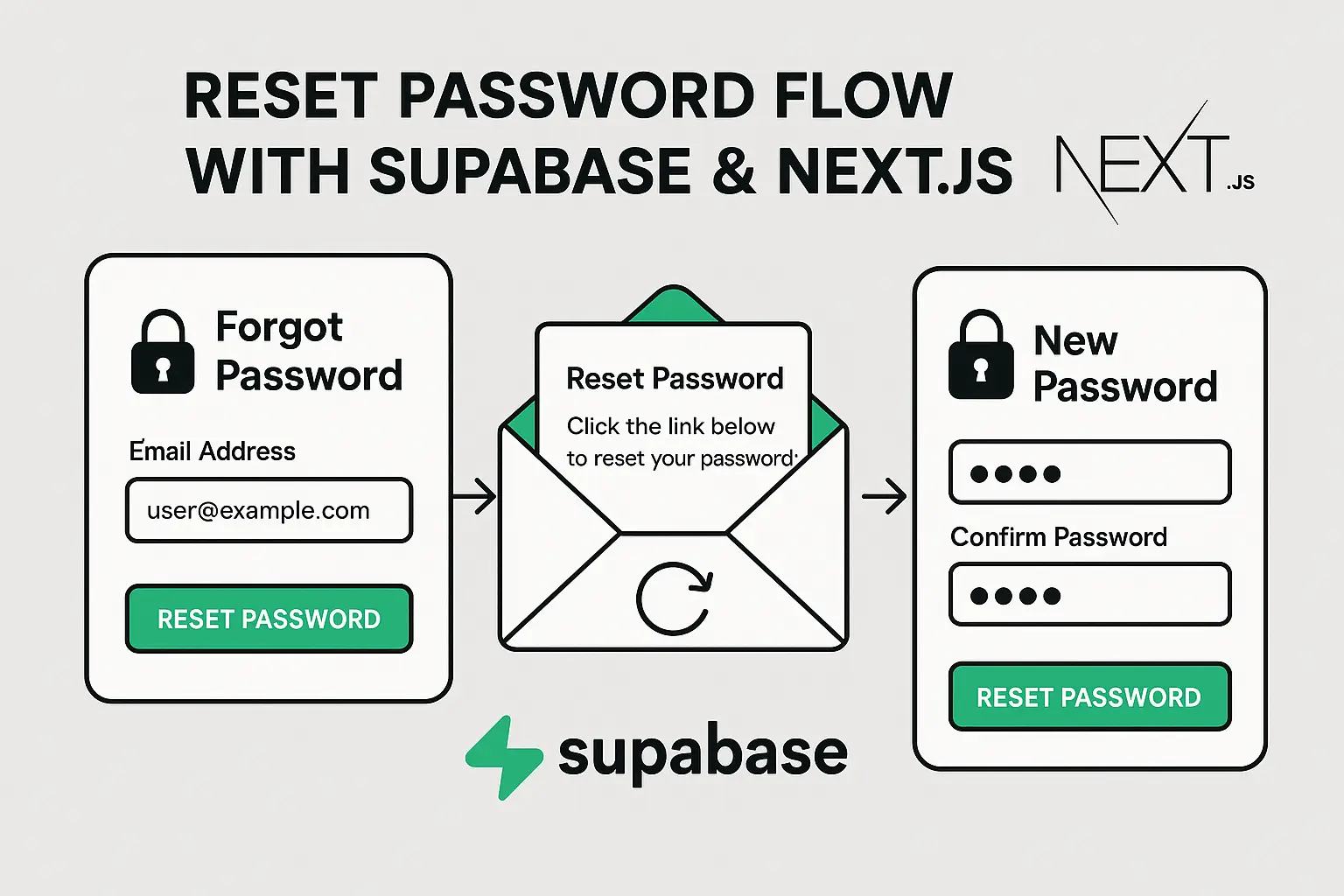
Cracking the Code: Server-Side Supabase Password Reset Implementation
When building authentication systems, the "forgot password" flow often becomes an afterthought—until users start complaining about broken reset links. After wrestling with Supabase's password reset implementation across multiple projects, I've compiled the server-side techniques that actually work in production.
The Anatomy of a Password Reset Flow
Before diving into code, let's understand the server-side mechanics of a Supabase password reset:
- Reset Initiation: Server receives a reset request and triggers Supabase's email delivery
- Token Generation & Storage: Supabase generates a secure token and associates it with the user record
- Email Delivery: The reset link containing this token gets dispatched
- Verification Process: When clicked, your server must validate the token and establish an authenticated session
- Password Update: The server processes the password change request, enforcing security policies
Server Implementation Essentials
Setting Up the Reset Request Handler
Here's a robust implementation for your API route or serverless function:
// /api/request-password-reset.js
import { createClient } from '@supabase/supabase-js'

export default async function handler(req, res) {
  if (req.method !== 'POST') {
    return res.status(405).json({ error: 'Method not allowed' })
  }

  const { email } = req.body

  if (!email) {
    return res.status(400).json({ error: 'Email is required' })
  }

  try {
    // Initialize server-side Supabase client
    const supabase = createClient(
      process.env.NEXT_PUBLIC_SUPABASE_URL,
      process.env.SUPABASE_SERVICE_KEY
    )

    // Critical: The redirectTo must be an absolute URL
    const { error } = await supabase.auth.resetPasswordForEmail(email, {
      redirectTo: `${process.env.NEXT_PUBLIC_APP_URL}/reset-password`,
    })

    if (error) throw error

    // Never reveal whether an email exists in your system
    return res.status(200).json({
      message: 'If this email exists in our system, a reset link has been sent.'
    })
  } catch (error) {
    console.error('Password reset request failed:', error)
    return res.status(500).json({
      error: 'Failed to process reset request'
    })
  }
}
Token Validation & Session Establishment
When users click the reset link, your server needs to validate and exchange the token:
// /api/validate-reset-token.js
import { createClient } from '@supabase/supabase-js'

export default async function handler(req, res) {
  if (req.method !== 'POST') {
    return res.status(405).json({ error: 'Method not allowed' })
  }

  const { code } = req.body

  if (!code) {
    return res.status(400).json({ error: 'Reset code is required' })
  }

  try {
    const supabase = createClient(
      process.env.NEXT_PUBLIC_SUPABASE_URL,
      process.env.SUPABASE_SERVICE_KEY
    )

    // Exchange the code for a session (server-side)
    const { data, error } = await supabase.auth.exchangeCodeForSession(code)

    if (error) {
      // Handle specific error types
      if (error.message.includes('expired')) {
        return res.status(400).json({
          error: 'Reset link has expired',
          code: 'EXPIRED_TOKEN'
        })
      }

      throw error
    }

    // Set the session cookie for authentication
    const { session } = data

    // Return the session token to be stored client-side
    return res.status(200).json({
      message: 'Session established',
      session: session
    })
  } catch (error) {
    console.error('Token validation failed:', error)
    return res.status(500).json({
      error: 'Failed to validate reset token'
    })
  }
}
Password Update Endpoint
Finally, implement the secure password change handler:
// /api/update-password.js
import { createClient } from '@supabase/supabase-js'

export default async function handler(req, res) {
  if (req.method !== 'POST') {
    return res.status(405).json({ error: 'Method not allowed' })
  }

  const { password, sessionToken } = req.body

  if (!password || !sessionToken) {
    return res.status(400).json({ error: 'Password and session token are required' })
  }

  // Validate password strength
  if (password.length < 8) {
    return res.status(400).json({
      error: 'Password must be at least 8 characters'
    })
  }

  try {
    const supabase = createClient(
      process.env.NEXT_PUBLIC_SUPABASE_URL,
      process.env.SUPABASE_SERVICE_KEY
    )

    // Set the auth context to the user's session
    supabase.auth.setSession(sessionToken)

    // Update the password
    const { error } = await supabase.auth.updateUser({
      password: password
    })

    if (error) throw error

    // Invalidate all other sessions for security
    await supabase.auth.refreshSession()

    return res.status(200).json({
      message: 'Password updated successfully'
    })
  } catch (error) {
    console.error('Password update failed:', error)
    return res.status(500).json({
      error: 'Failed to update password'
    })
  }
}
Troubleshooting Server-Side Reset Issues
The "Auth Session Missing" Black Hole
This infamous error occurs when the server tries to update a password without establishing a valid session first. The fix is ensuring proper token exchange:
// WRONG - This will fail with "Auth Session Missing"
await supabase.auth.updateUser({ password: newPassword })

// CORRECT - First exchange the code for a session
const { data } = await supabase.auth.exchangeCodeForSession(code)
// Then update with the established session
await supabase.auth.updateUser({ password: newPassword })
Environment Variables: The Silent Killer
A major source of reset issues stems from mismatched URLs between environments:
# Development
NEXT_PUBLIC_SUPABASE_URL=https://yourproject.supabase.co
NEXT_PUBLIC_APP_URL=http://localhost:3000

# Production - These MUST be updated!
NEXT_PUBLIC_SUPABASE_URL=https://yourproject.supabase.co
NEXT_PUBLIC_APP_URL=https://yourapp.com
If these don't match between environments, users will get redirect loops or invalid token errors.
Serverless Function Timeouts
Password reset functions can exceed default timeouts on platforms like Vercel or Netlify:
// vercel.json
{
  "functions": {
    "api/validate-reset-token.js": {
      "memory": 1024,
      "maxDuration": 10
    }
  }
}
Implementing Proper Error Handling
Generic error messages leave users frustrated. Instead, map specific errors to actionable messages:
// Error handling utility
function handleResetError(error) {
  const errorMessages = {
    'Email not confirmed': 'Please confirm your email address first',
    'User not found': 'We couldn\'t find an account with that email',
    'JWT expired': 'Your reset link has expired. Please request a new one',
    'Invalid login credentials': 'The reset link is no longer valid'
  }

  // Find a matching error message or use default
  for (const [key, message] of Object.entries(errorMessages)) {
    if (error.message.includes(key)) {
      return { code: key.replace(/\s+/g, '_').toUpperCase(), message }
    }
  }

  // Default error
  return {
    code: 'UNKNOWN_ERROR',
    message: 'An unexpected error occurred. Please try again.'
  }
}
Production-Ready Security Enhancements
Rate Limiting Reset Requests
Prevent brute force attacks with rate limiting:
// Using Redis for rate limiting
import { Redis } from '@upstash/redis'

const redis = new Redis({
  url: process.env.REDIS_URL,
  token: process.env.REDIS_TOKEN,
})

async function isRateLimited(email) {
  const key = `pwd_reset:${email}`
  const count = await redis.get(key) || 0

  if (count >= 3) {
    return true
  }

  // Increment counter with 1-hour expiry
  await redis.set(key, parseInt(count) + 1, { ex: 3600 })
  return false
}

// In your reset handler
if (await isRateLimited(email)) {
  return res.status(429).json({
    error: 'Too many reset attempts. Please try again later.'
  })
}
Logging and Monitoring
Add structured logging to track reset attempts:
// Assuming a logger like Pino or Winston
logger.info('Password reset requested', {
  email: email.split('@')[0] + '@*****', // Partial email for privacy
  ip: req.headers['x-real-ip'] || req.connection.remoteAddress,
  userAgent: req.headers['user-agent'],
  timestamp: new Date().toISOString()
})
Final Thoughts
A robust password reset implementation balances security with user experience. Remember that the server-side implementation handles the critical security aspects, while the client merely presents the interface.
By implementing proper server-side validation, session management, and error handling, you'll avoid the common pitfalls that plague many Supabase implementations.
Happy coding!
Found this useful? Check out my other posts on secure authentication patterns and serverless architecture.